Skip to content
en
USD

Score a Goal With the Best Prices

Shop Now

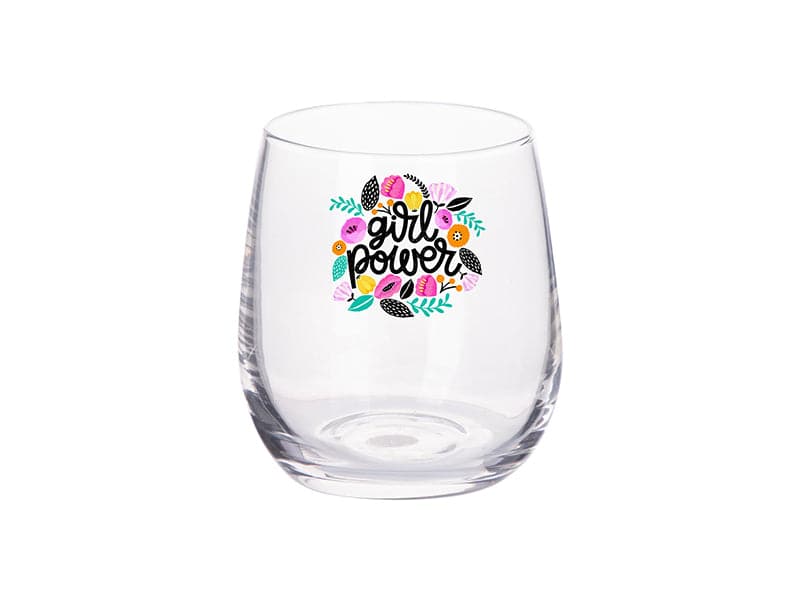
Sublimation Wine Glasses

Sublimation Wine Glasses for Custom Drinkware Businesses


Produce Personalized Glassware with Consistent Transfer Quality


Sublimation wine glasses are designed for businesses creating custom gifts, event merchandise, and branded glassware for resale. Engineered for vibrant color and durable coating performance, they support reliable production and retail-ready presentation.

Filter

3 products

  • Sort by

Frequently Asked Questions:

What are the primary uses for sublimation wine glasses?

Sublimation wine glasses are primarily used for creating high-end, personalized drinkware featuring vibrant, full-color graphics that are molecularly bonded into a specialized polyester coating. These premium blanks are ideal for corporate branding, wedding favors, and commemorative gifts, offering a durable finish that resists peeling and fading even with frequent handling. By utilizing a convection oven with shrink sleeves or a specialized mug press, businesses can produce professional-grade, high-resolution designs that provide a sophisticated alternative to traditional surface-printed glassware. This versatility makes them an excellent choice for expanding product lines and increasing profit margins through custom retail and promotional orders.

What materials or coatings are required for wine glasses to be compatible with sublimation printing?

To be compatible with sublimation printing, wine glasses must feature a specialized, clear polyester or polymer coating that allows sublimation inks to molecularly bond with the surface. This heat-sensitive coating is essential for facilitating a high-definition gas transfer, ensuring that custom graphics remain vibrant and resistant to peeling or fading. Without this professional-grade poly-coating, the sublimation dyes cannot penetrate the glass substrate, which would result in a failed transfer and poor durability. When selecting sublimation wine glasses, always verify they are specifically labeled as sublimation blanks to guarantee optimal color reproduction and long-lasting results.

How durable are the designs on sublimation wine glasses, and what are the best practices for their care and maintenance?

Sublimation wine glasses feature exceptionally durable designs because the specialized ink molecularly bonds with the polyester coating, creating a permanent finish that resists peeling, cracking, and fading. To maintain the vibrant color density and high-resolution details of your custom drinkware, we recommend hand washing with mild detergents and avoiding abrasive scrubbers. While many premium sublimation coatings are engineered to be resilient, limiting exposure to high-heat dishwasher cycles will significantly extend the life of the transfer. Using these professional care practices ensures your personalized wine glasses remain a high-quality representation of your brand for years to come.

How do I sublimate custom graphics onto sublimation wine glasses?

To sublimate custom graphics onto sublimation wine glasses, start by cleaning the poly-coated surface with isopropyl alcohol and tightly securing your mirrored transfer with heat-resistant tape. For optimal results in a convection oven, apply a heat shrink sleeve and process at 370°F to 380°F for 5 to 6 minutes, ensuring even heat distribution across the substrate. Alternatively, utilize a mug press with a tapered attachment set to 360°F for approximately 60 seconds to achieve a vibrant, permanent bond. Once the heating cycle is complete, carefully remove the transfer immediately using heat-resistant gloves to reveal a high-definition, durable design.

Why is my sublimation wine glass design appearing blurry or showing signs of ghosting?

Blurry or ghosted designs on sublimation wine glasses typically occur when the transfer paper shifts during the heating cycle or is removed incorrectly while the substrate is still hot, causing the gassed-out ink to deposit outside the intended design area. To prevent this ghosting effect, ensure your sublimation transfer is firmly secured to the poly-coated glass using high-quality heat-resistant tape and remove the paper in one swift, vertical motion immediately after pressing. Additionally, verify that your time, temperature, and pressure settings are calibrated correctly, as over-processing can cause the ink to gas out beyond the design edges and compromise image clarity. Maintaining a tight, secure wrap and consistent thermal pressure is essential for achieving the sharp details and professional-grade finish expected from Joto Imaging Supplies blanks.


How can I achieve professional-grade color vibrancy and sharp details on sublimation wine glasses?

To achieve professional-grade color vibrancy and sharp details on sublimation wine glasses, it is essential to use high-quality sublimation paper and premium Sawgrass or Epson inks. Ensure your convection oven is precisely calibrated to the recommended temperature and time settings to facilitate a complete gas transfer into the specialized polyester coating. Utilizing a high-resolution ICC profile and securing your transfer with heat-resistant tape or shrink sleeves will guarantee color accuracy and prevent blurring for a crisp, durable finish.

How can sublimation wine glasses enhance my business's profitability and brand visibility?

Sublimation wine glasses enhance profitability by enabling high-margin customization on premium, poly-coated substrates that command significantly higher retail prices than standard glassware. These blanks provide a sophisticated canvas for vibrant, full-color branding that remains molecularly bonded to the surface, ensuring long-term brand visibility without the peeling or fading associated with traditional vinyl. By offering durable, professional-grade personalized drinkware for weddings and corporate events, businesses can maximize their equipment ROI and establish a premium market position. Using specialized sublimation coatings ensures that every gift or promotional item serves as a lasting, high-definition advertisement for your brand.

What are the best practices for the safe handling and proper storage of sublimation wine glasses?

For safe handling, always utilize heat-resistant gloves when removing sublimation wine glasses from a convection oven to prevent thermal injuries from high transfer temperatures. Ensure your production area is well-ventilated to effectively dissipate any gases released during the sublimation process and avoid touching the specialized polyester coating with bare hands to prevent oil contamination. For optimal storage, keep these glass blanks in a cool, dry environment protected from direct sunlight and significant temperature shifts to maintain the integrity of the polymer surface. Adhering to these technical best practices ensures operator safety while preserving the high-quality finish and longevity of your professional-grade customized drinkware.


How do sublimation wine glasses compare to traditional screen printing or vinyl decals in terms of durability and finish?

Sublimation wine glasses provide superior durability compared to traditional screen printing and vinyl decals because the sublimation ink molecularly bonds with the specialized polyester coating. This process creates a smooth, permanent finish that is highly resistant to peeling, cracking, and fading, even with frequent handling and washing. For design quality, sublimation excels by allowing for high-resolution, full-color photographic details and seamless gradients that surpass the surface-level limitations of vinyl and the color-count restrictions of screen printing. This makes sublimation the professional choice for creating sophisticated, high-end personalized glassware with a long-lasting, vibrant result.

What are the best techniques for achieving a seamless, full-wrap sublimation design on stemmed wine glasses using shrink sleeves and a convection oven?

To achieve a seamless full-wrap on sublimation wine glasses, utilize a precisely measured template and secure the transfer paper with high-quality, stretchy heat-resistant tape to accommodate the vessel's unique contours. Apply a sublimation shrink sleeve and use a heat gun to ensure the film conforms tightly to the glass, providing the consistent 360-degree pressure necessary to eliminate ghosting and air pockets. Process the assembly in a preheated convection oven at approximately 380°F to 400°F for 3.5 to 6 minutes, ensuring even airflow for a vibrant and professional-grade finish. Immediately remove the wrap and transfer paper while the substrate is hot to maintain design clarity and prevent sticking.


aaa

Drawer Title

Similar Products